Free mock API server, generated from your OpenAPI spec
Turn a Swagger or OpenAPI spec into a live mock REST API in one click. Every endpoint gets a public URL that returns realistic JSON, so frontend, mobile and test work can start before the backend is ready.
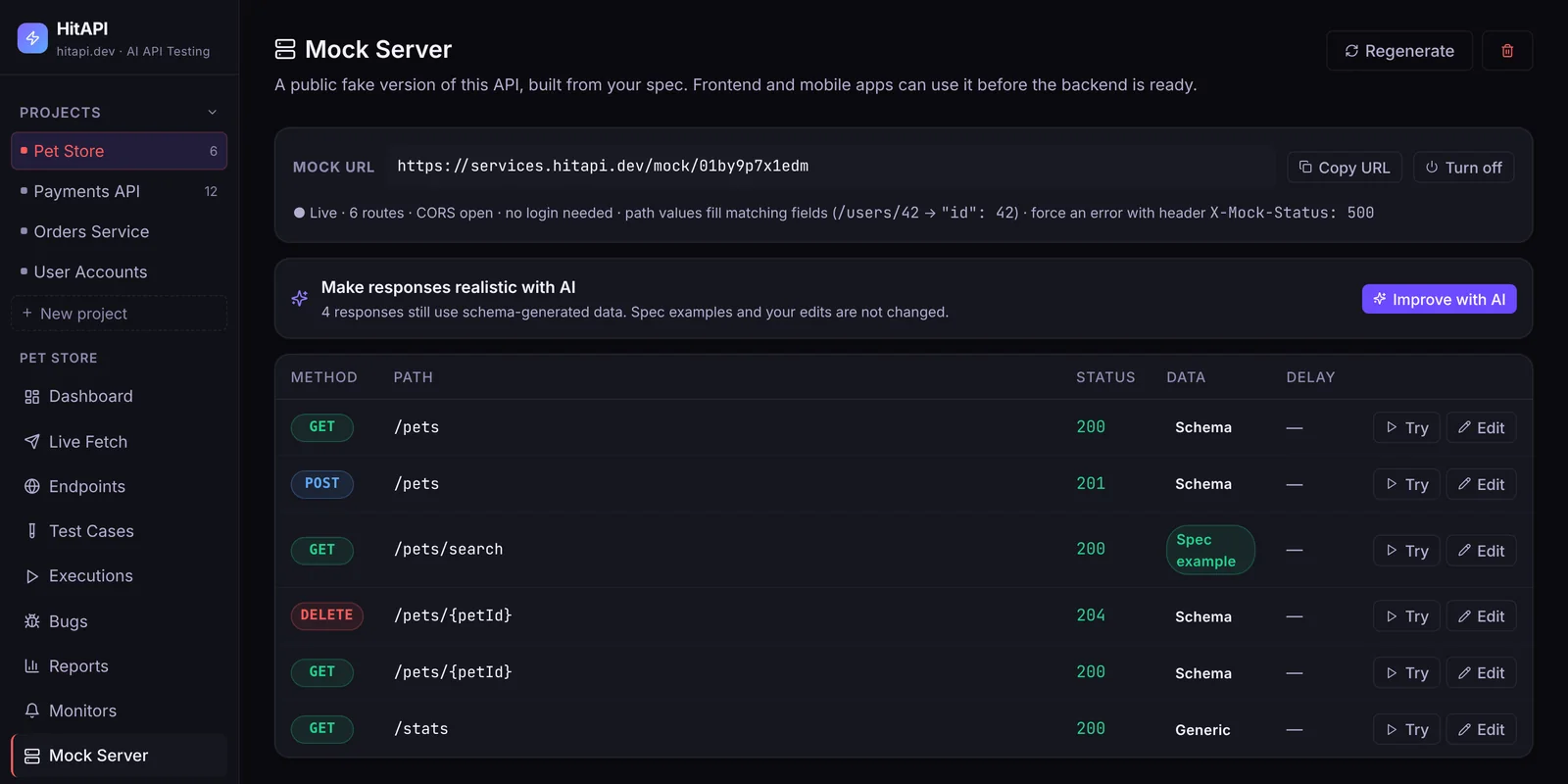
Live demo: call a mock API right now
This demo mock server was generated by HitAPI from a small Store API spec. It is public: call it from this page, your terminal or your own app. No sign-up needed.
Base URL: https://services.hitapi.dev/mock/demo
Want your own routes, status codes, headers and bodies? Build them in the Mock API Playground and get a public URL in seconds, no account needed.
| Route | Data from |
|---|---|
GET /productsList products | Spec example |
GET /products/{id}One product | Schema |
GET /users/{id}A user | Schema |
GET /ordersList orders | Schema |
POST /ordersCreate an order (201) | Schema |
DELETE /orders/{id}Cancel an order (204) | Schema |
GET /categoriesNo response in the spec | Generic |
curl -X GET 'https://services.hitapi.dev/mock/demo/users/42'
GET /users/42. Press Send to call the live mock.{
"id": 42,
"name": "Omar Sharma",
"email": "[email protected]",
"phone": "+1-555-217-5335",
"city": "Lisbon",
"country": "PT",
"avatar_url": "https://picsum.photos/seed/466/400/300",
"is_verified": true,
"created_at": "2026-09-22T13:06:41Z"
}How to create a mock API in 3 steps
- 1
Bring your API
Import an OpenAPI 3 or Swagger 2 spec from its URL, capture calls with the HitAPI Chrome extension, or add endpoints by hand.
- 2
Generate the mock
One click creates a mock route for every endpoint, with a status code and a realistic JSON body for each.
- 3
Call your mock URL
Point your frontend, mobile app or tests at https://services.hitapi.dev/mock/<id>. No login, no API key, CORS open.
How HitAPI generates mock data
For every route, HitAPI picks the best data it can find, in this order:
- Spec example
- If your spec has an example response, the mock returns it exactly as written.
- Schema
- Otherwise HitAPI builds data from the response schema. Field names drive the values: email gets an email address, created_at a date, price an amount, avatar_url an image link. Formats, enums, min/max limits and nested objects and arrays are respected.
- Generic
- Endpoints with no response described (for example, ones captured by the extension) get a sensible body from the method and path: a list for GET /orders, one object for GET /orders/{id}, 204 for DELETE.
- AI (optional)
- Press Improve with AI and Workers AI rewrites the sample with realistic, consistent values in the same shape. If anything fails, the schema data stays, so a mock is never empty.
Example: a schema and the mock response it produces
No example in the spec, only a schema. This is what the demo returns for GET /users/42:
"User": {
  "type": "object",
  "properties": {
    "id":          { "type": "integer" },
    "name":        { "type": "string" },
    "email":       { "type": "string", "format": "email" },
    "phone":       { "type": "string" },
    "city":        { "type": "string" },
    "country":     { "type": "string" },
    "avatar_url":  { "type": "string", "format": "uri" },
    "is_verified": { "type": "boolean" },
    "created_at":  { "type": "string", "format": "date-time" }
  }
}
{
"id": 42,
"name": "Omar Sharma",
"email": "[email protected]",
"phone": "+1-555-217-5335",
"city": "Lisbon",
"country": "PT",
"avatar_url": "https://picsum.photos/seed/466/400/300",
"is_verified": true,
"created_at": "2026-09-22T13:06:41Z"
}The data is stable: the same spec gives the same response every time, so screenshots and tests don't change on each call. The id comes from the URL.
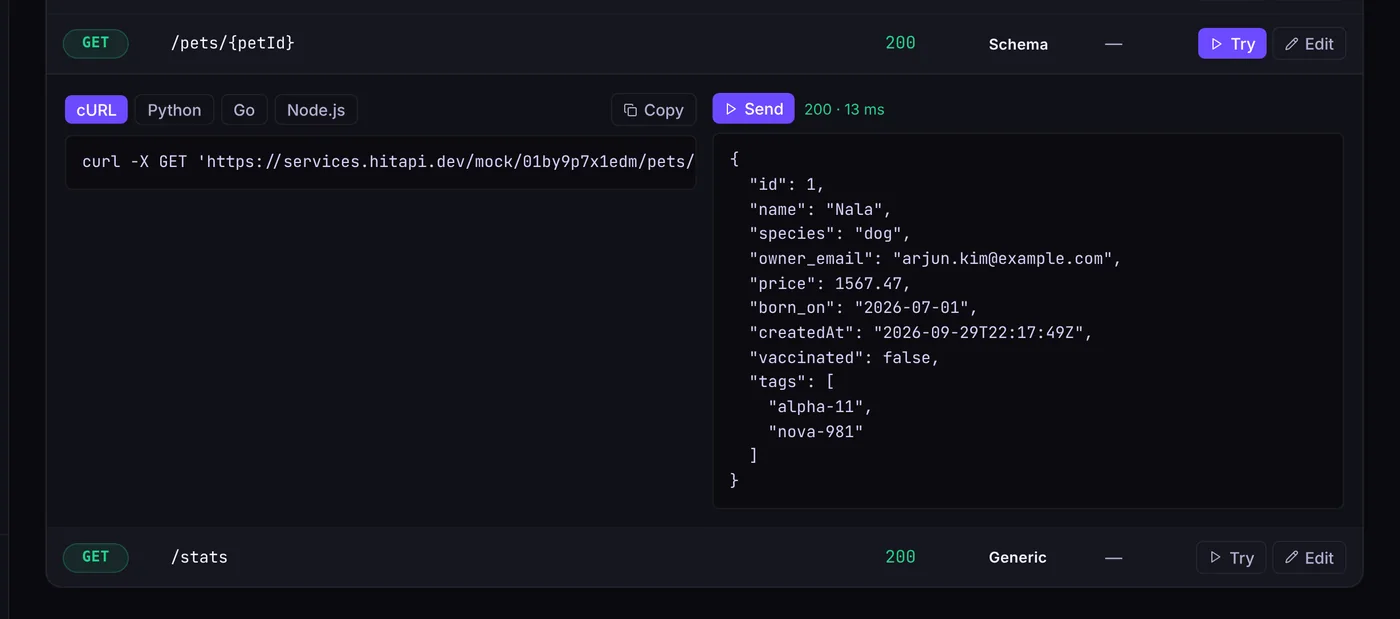
Mock server features
- Path parameters filled in. GET /products/42 returns "id": 42. Any field named like a path parameter gets its value.
- Force any error. Send X-Mock-Status: 500 or add ?__status=404 to test error handling without changing the mock.
- Delays. Add up to 10 seconds of latency per route to test spinners and timeouts.
- Edit any response. Change the status code or body; use {{params.id}} or {{query.page}} to echo request values.
- Any method, any client. GET, POST, PUT, PATCH, DELETE and HEAD, with CORS open for browser apps.
- On/off switch. Turn a mock off (calls get 503) or regenerate it when the spec changes; your edits are kept.
- Code to call it. Copy-ready cURL, Python, Go and Node.js snippets for every route.
- Test against it. Export your HitAPI test cases to Playwright, Pytest, Jest or k6 with the mock URL as the base URL.
What teams use a mock API for
Frontend before the backend
Build screens against real-looking responses while the API is still being written.
Mobile apps
Give iOS and Android developers a stable URL that always answers.
CI and automated tests
Run UI and integration tests without a staging server or seeded database.
Error and edge cases
Check how the app handles 401, 404, 500 and slow responses, on demand.
Demos and prototypes
Show a working product to stakeholders before anything is deployed.
When a third-party API is down
Keep working against a mock of the parts of the API you use.
HitAPI vs Postman, Mockoon and Beeceptor
All four are good ways to mock an API. HitAPI is the one to pick when you want a hosted mock straight from your spec with realistic data and no examples to write, and you also want to test the real API in the same place. If you need mocks that run offline on your laptop, Mockoon is a strong choice.
| Feature | HitAPI | Postman mock servers | Mockoon | Beeceptor |
|---|---|---|---|---|
| Create a mock from an OpenAPI / Swagger spec | Yes | Via an imported collection | Yes | Yes |
| Realistic data without writing examples | From the schema and field names, plus optional AI | Returns saved examples you write; dynamic variables help | Templating with fake-data helpers; AI assistant | Templates; AI spec-to-mock on paid plans |
| Hosted public URL | Yes | Yes | Local app; cloud hosting on paid Pro | Yes |
| Runs offline on your machine | No | No | Yes | No |
| Free option | Free | Free plan (1 user) | Open-source app is free | Free tier, 50 requests/day per endpoint |
| Also tests your real API | AI-written tests, runs and bug reports | Test scripts you write | No | No |
Based on each product's public website in November 2026. Plans and limits change; check their sites for current details.
Frequently asked questions
Is the HitAPI mock server free?
Yes. Creating mock servers, generating mock data from your spec and calling your mock URLs are free with a HitAPI account. The demo mock server on this page needs no account at all.
Do the apps calling my mock need to log in?
No. A mock URL works without a token or API key, and CORS is open, so a web app, mobile app, Postman or a CI job can call it directly. You need to be signed in to HitAPI only to create, edit or turn off a mock server.
How do I keep a mock server private?
Each mock URL contains a random ID that is not practical to guess; share it only with your team. You can turn a mock off at any time (calls then get a 503), and regenerating it gives it a new URL.
Where does the mock data come from?
From your OpenAPI or Swagger spec. If a response has an example, the example is returned. Otherwise HitAPI builds realistic data from the response schema, using field names, formats, enums and min/max limits. Endpoints with no response described get a sensible generic body. You can then ask AI to make any response more realistic, or edit it by hand.
Does the mock remember data I POST to it?
No. HitAPI mocks are stateless: a POST returns the response for that route (usually 201 with a sample object) but does not change what a later GET returns. This keeps every response predictable for frontend work and tests.
Can I test error responses?
Yes. Send the header X-Mock-Status: 404 (or any 4xx or 5xx code), or add ?__status=500 to the URL, and the mock returns that error. You can also edit a route to always return an error, or add a delay of up to 10 seconds to test loading states.
I have no OpenAPI spec. Can I still create a mock?
Yes. Capture your API calls with the HitAPI Chrome extension or add endpoints by hand; HitAPI builds a mock for each one and fills in generic data that you can improve with AI or edit.
Create your mock API server in a minute
Import your spec, press Create mock server, and share the URL with your team. Free.